

Computer Repair Adelaide: The Complete Guide to Getting Your PC or Laptop Fixed
Slow, frozen or dead computer? Learn common faults, what a repair involves and how to choose a trusted computer repair shop in Adelaide.

A computer that stops working at the wrong moment can stall your work, your study and your day. The good news is that most faults are fixable, and many are cheaper to repair than people expect. This guide walks you through the warning signs, the usual causes and what a proper repair looks like. If you would rather talk to someone now, the team at One Systems handles everything from computer repair to laptop repairs across Adelaide, and you can see the full list on the services page.
Signs your computer needs professional repair
Computers rarely fail without warning. Learning to spot the early signals can save you data, money and stress.
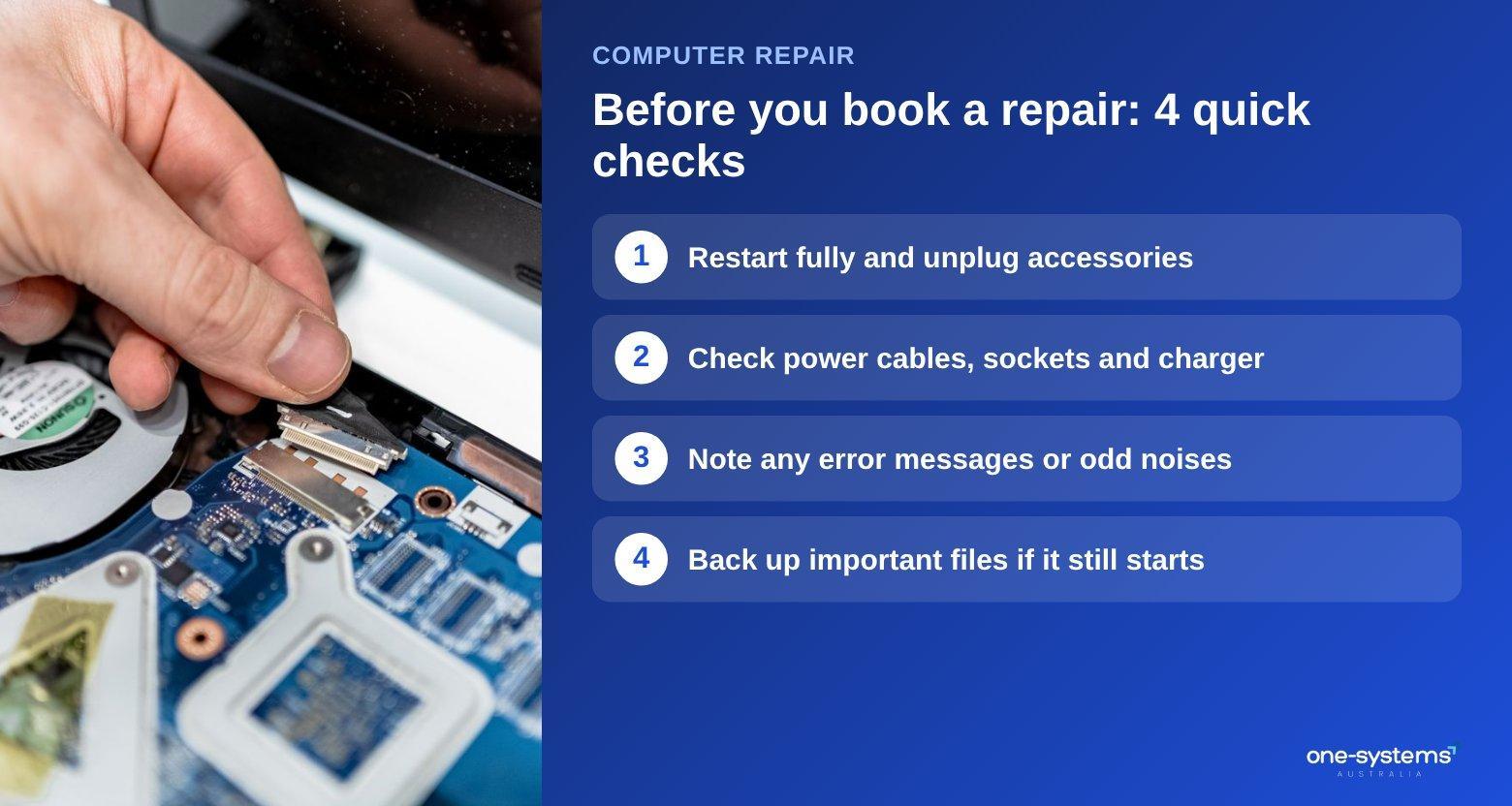
The most common sign is a sudden drop in speed. If your machine takes minutes to start, freezes when you open a browser or runs its fan loudly at idle, something is wrong. It might be a failing drive, too little memory or malware running in the background. A virus removal service can often restore normal performance without any new parts. Other warning signs include strange clicking noises, random restarts, blue error screens, programs that crash on launch and a battery that no longer holds a charge. A screen that flickers, shows lines or stays black while the machine runs points to a display or graphics fault. In that case a laptop screen replacement may be the answer.
Do not ignore messages about a failing hard drive. Once a drive starts to fail, every extra hour of use makes recovery harder. If you suspect trouble, stop using the machine and ask about data recovery in Adelaide before anything else.
Heat is another clue. A laptop that is too hot to rest on your knees, or a desktop that shuts down during games, is usually struggling with airflow or cooling. Cleaning dust and renewing thermal paste often fixes it, but leaving it can shorten the life of the processor. Pay attention to patterns too: if a problem happens at the same time each day or with the same program, write it down. That detail helps a technician narrow the cause quickly. If you are unsure what you are looking at, our guide on what a PC repair really costs explains how faults are priced, and our contact page is the fastest way to describe your symptoms and get a straight answer.
Common computer problems and what causes them
Most repair jobs fall into a handful of categories. Knowing them helps you describe the problem clearly and understand the advice you are given.
Software faults are the most common. Corrupted updates, too many startup programs and outdated drivers can all make a healthy machine feel broken. These are usually solved with cleaning, reinstalling or resetting the system, and are often the cheapest fixes.
Hardware faults are less frequent but more serious. Failing storage drives, worn fans, dried thermal paste and damaged charging ports are typical. A dead machine that will not power on at all can be a power supply issue or, in more serious cases, a motherboard fault.
Physical damage is its own category. Drops cause cracked screens and broken hinges, and spills can corrode components within hours. If you have a loose or snapped hinge, see how a laptop hinge repair works before you force the lid. If liquid is involved, read our guide to laptop water damage repair and switch the machine off immediately. Finally, there are network and peripheral problems: Wi-Fi that drops, printers that refuse to connect and email that will not sync. Our network and Wi-Fi support and printer support pages cover these everyday headaches.
Ageing is a factor as well. Laptop batteries typically lose capacity after a few years, and mechanical hard drives wear out far sooner than modern solid-state drives. If your computer still runs an older spinning drive, upgrading to an SSD is one of the most noticeable improvements you can make. It is also worth keeping your system updated and your files backed up, because most disasters are far less painful when a recent copy exists.
Laptop, desktop and gaming PC: what is different
The device you own shapes the repair. A laptop packs everything into a small, tightly built case. Screens, keyboards, batteries and hinges are the usual failure points, and parts are often specific to each model. A dedicated laptop repair service knows how to open these cases without damaging clips and ribbon cables.
Desktops are easier to open and upgrade, which often makes repairs more affordable. A failed power supply or graphics card can be swapped quickly, and adding memory or a faster drive can extend the life of an older tower. Details are on our desktop repair page. Gaming PCs sit in between. They run hot, so dust, dried paste and worn fans are frequent culprits. If you are weighing a repair against a new build, the article is a $1000 PC good for gaming is a useful reality check, and our custom PC builds can be tailored to the games you play.
Some people wonder whether a tablet could replace a failing laptop. Our comparison of a laptop vs tablet explains who that works for and who it does not. And if you want a ready-to-go replacement while you decide, browse the shop for machines ready to use.
Whichever device you own, keep the paperwork and accessories handy. Knowing the model number, the age of the machine and any previous repairs helps the technician quote accurately. It also helps to mention how you use the computer, because a student, a gamer and an accountant each need different things from a fix: reliability, performance or simply speed.
What happens when you bring a computer in for repair
A good repair follows a clear order, and knowing it removes the mystery.
First comes diagnosis. The technician checks power, storage, memory, temperatures and software to find the real cause rather than guessing. You should hear what is wrong in plain language, along with the options and a quote, before any work starts. Your local Norwood team can take your description by phone or in person.
Second comes protecting your data. Before touching software or replacing a drive, ask whether your files are backed up. If they are not, a copy should be taken first. Our data recovery service exists for the cases where something has already gone wrong.
Third is the repair itself, whether that is a part replacement, a clean-up, a reinstall or a security scan. Afterwards the machine is tested under load so that any remaining issue shows up before you collect it.
If the repair relates to an insurance claim, you may need a written report, and the insurance damage reports page explains how that works. You can also read more about our business and how we approach jobs, so you know who is looking after your device. Finally comes handover. A clear summary of what was done, what was replaced and what to watch for gives you peace of mind. Follow up with simple habits from our laptop maintenance tips to keep things running smoothly.
Need a hand from a local technician?
Free diagnostics at our Norwood and Mount Barker workshops. Most phone repairs done same day.
How to choose a computer repair shop in Adelaide
Not every repairer works the same way. A few checks will protect you from poor service. Look for clear communication. A trustworthy shop explains the fault, the cost and the timeframe without jargon, and does not push unnecessary upgrades. Ask for a quote before work starts, and ask what happens if the fault turns out to be different from the first diagnosis.
Check that they cover your type of device and problem. A shop that handles business IT support, home users and gamers alike has usually seen a wide range of faults.
Convenience matters too: look for a location near you, such as Salisbury, Mount Barker or the wider service area.
Read local reviews and look for real detail rather than vague praise. Check that the shop is open about its process, and be wary of anyone who refuses to give a price range or will not let you collect your data.
Finally, consider the whole device family. If you also own a phone or tablet that needs attention, a single shop offering phone repair and iPad repair saves you chasing several providers.
Finally, trust your instincts about attitude. A repairer who listens, answers questions patiently and is happy to show you the faulty part is usually one you can rely on. Price matters, but the cheapest quote is not always the best value if the repair fails a month later.
Get your computer fixed
Small problems become expensive ones when they are left alone, so acting early is almost always the cheaper path. Whatever the fault, a quick conversation can tell you whether it is a ten-minute fix or something bigger. Whether your machine is slow, silent or simply acting strange, the next step is a proper diagnosis. Start with computer repairs in Adelaide, review our full service list, or get in touch to explain what is happening. You can also read the story behind One Systems, check the shop for replacements and see where we work on the areas we serve page.
Frequently asked questions
The answers our team gives most often.
Ready to get it sorted?
Walk in or book online — we'll diagnose for free and quote before we touch anything.